Your Tasks
Your Rules

Privacy-first to-do lists and notes — personal, or shared with the people you choose. Your data stays on your devices, syncs only where you choose, and never feeds anyone else's product. Own your tasks. Own your notes. Own your data.

Will be available on
OxiTick App Logo

Screenshots Coming Soon

Built for Productivity

Everything you need to get things done, on data that stays yours.

Your Data Stays Yours

Every list and note is written to a database on your own device. Nothing is sent anywhere until you set up a server you control — and there is no analytics, no tracking, and no advertising, ever.

Sync Through a Server You Own

Run OxiTick's server on your own machine, a Raspberry Pi, or a VPS you rent. Your devices sync through it and nowhere else. There is no OxiTick cloud your data has to pass through.

Works Without a Connection

Because the data is already on your device, the app does not wait for a network. On a plane, in a basement, or with the server switched off, it behaves exactly the same.

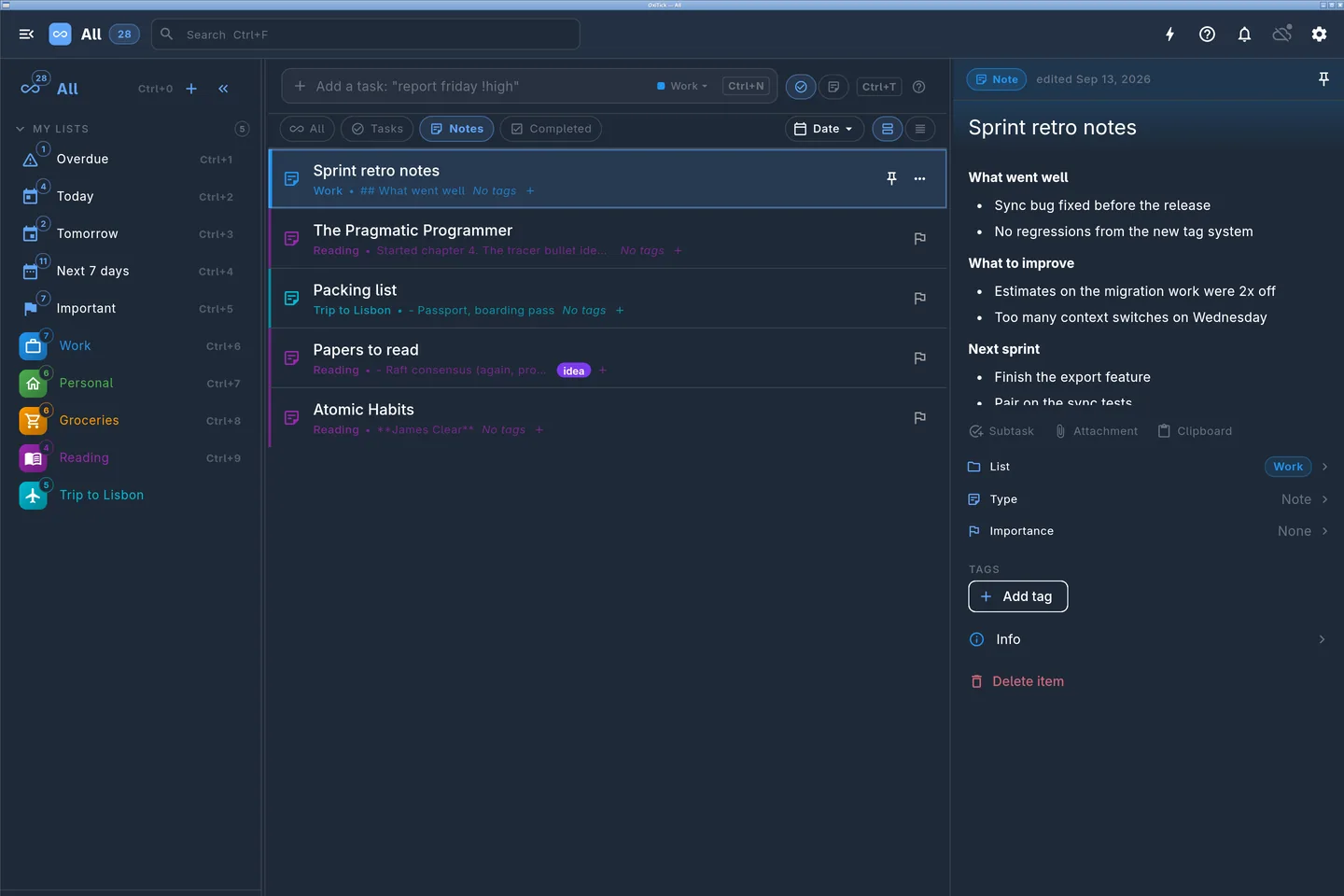
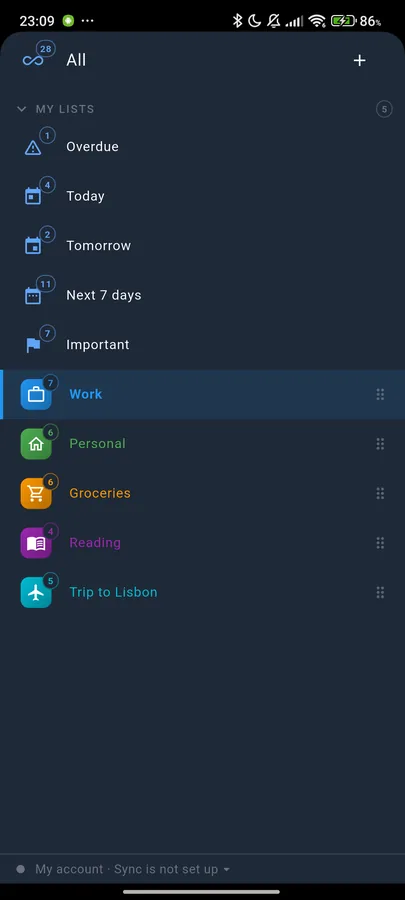
Multiple Lists

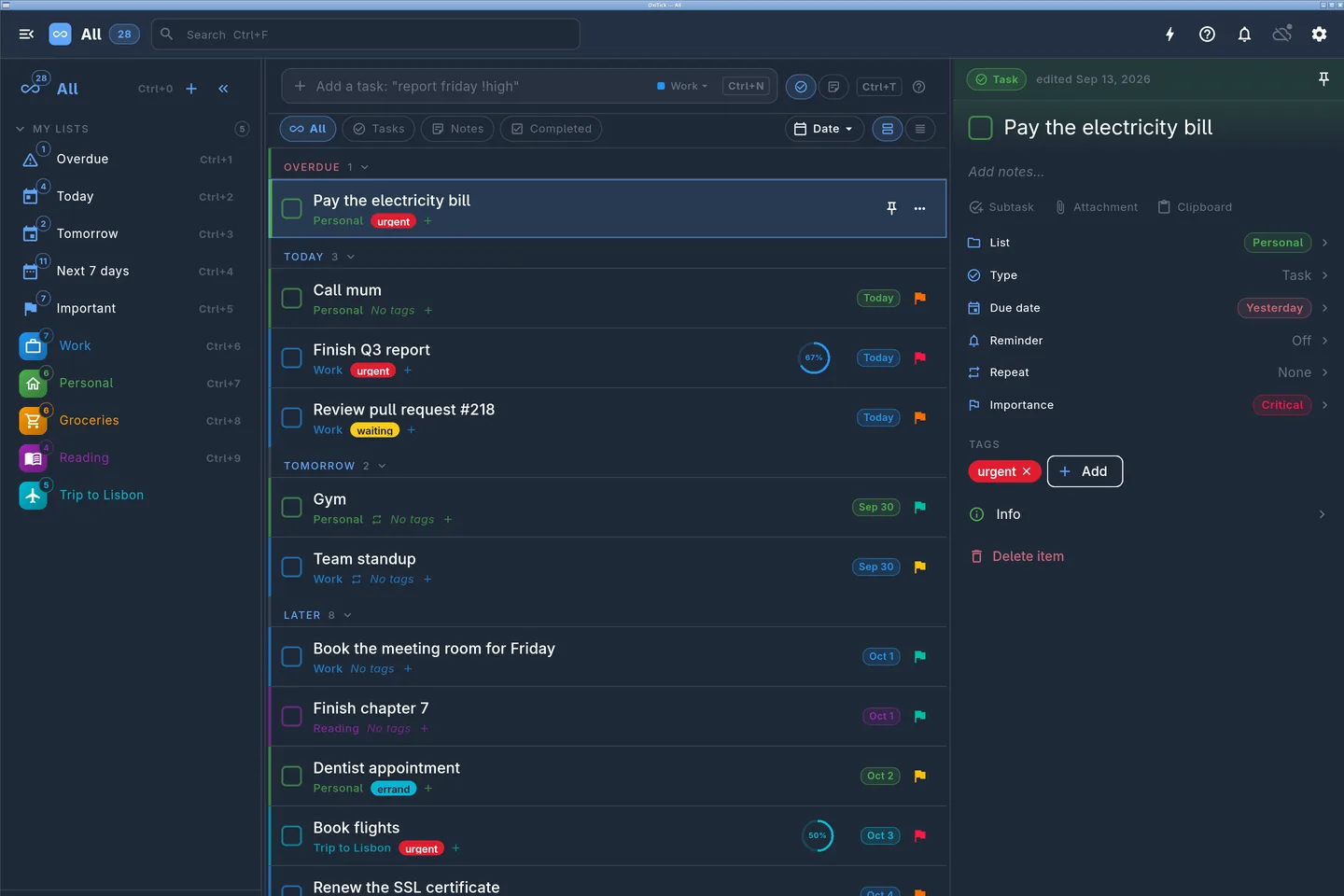
Organize with unlimited lists, custom colors, and drag-and-drop reordering. Create lists for work, personal projects, shopping, or anything else you need to track.

Your AI Assistant, On Your Terms

Connect Claude, Gemini or any MCP client to your own server with a token you create in the app and revoke in one tap. It runs locally, so the token never leaves your machine, and it cannot delete a list or touch anything you have hidden from assistants.

Smart Search

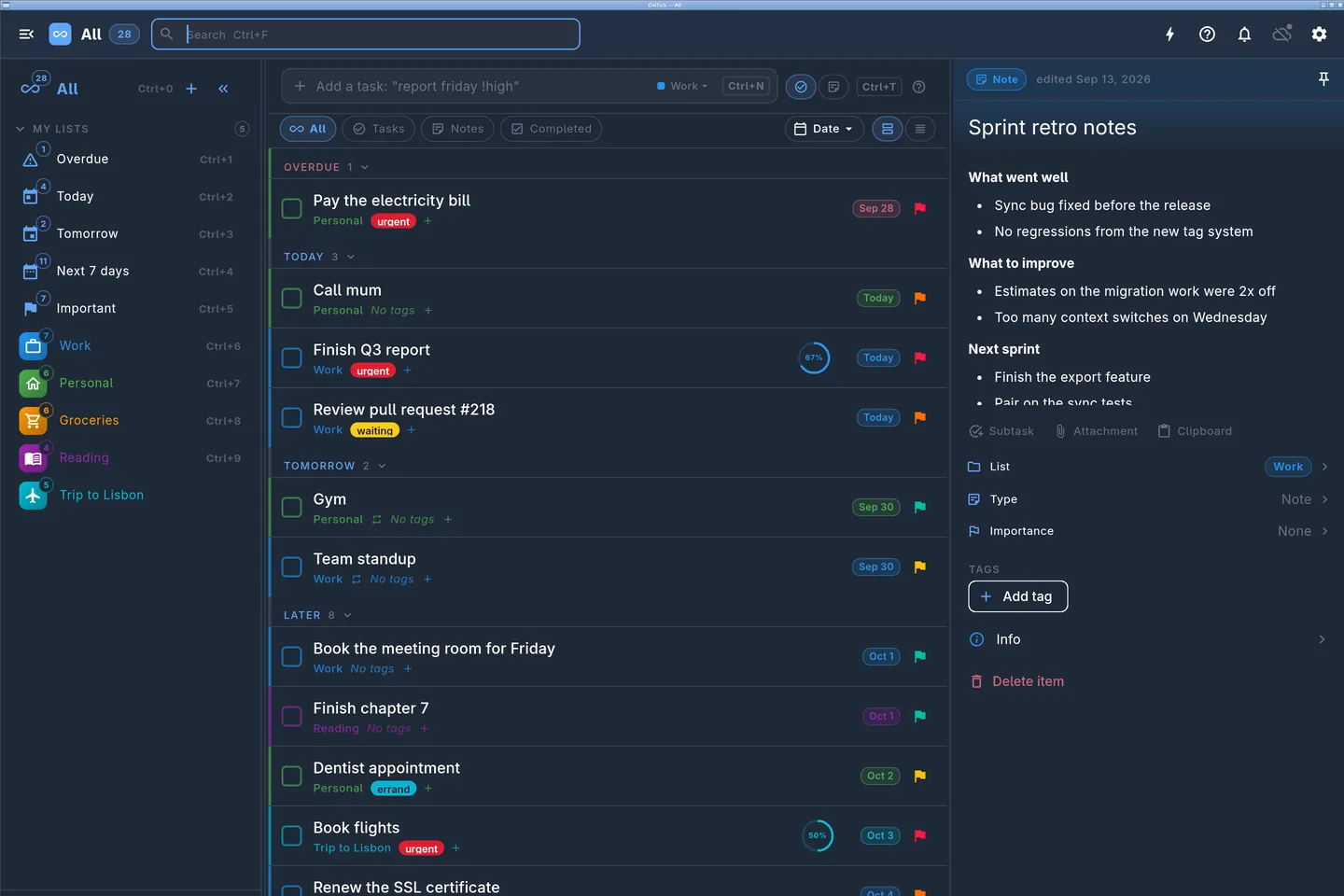
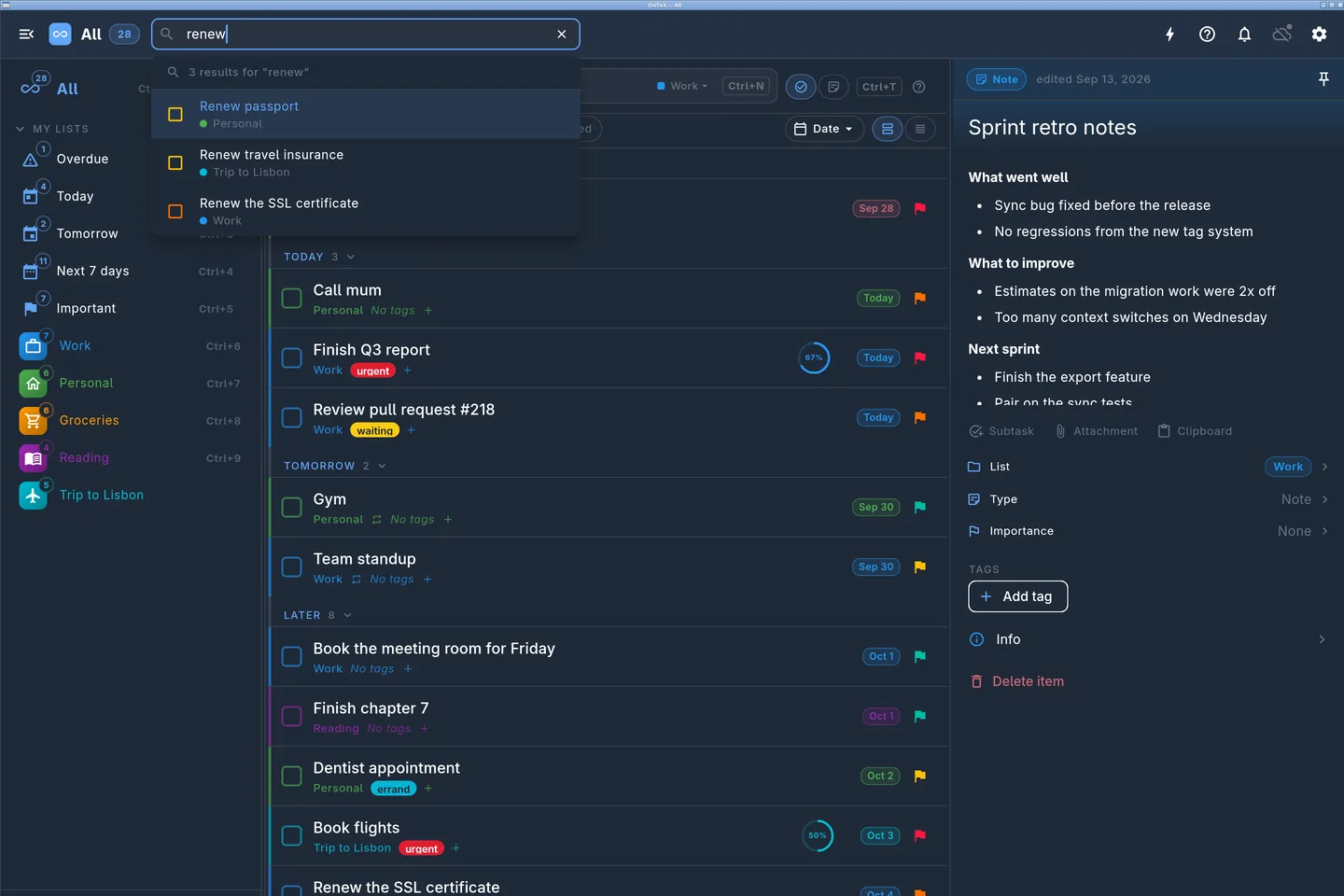
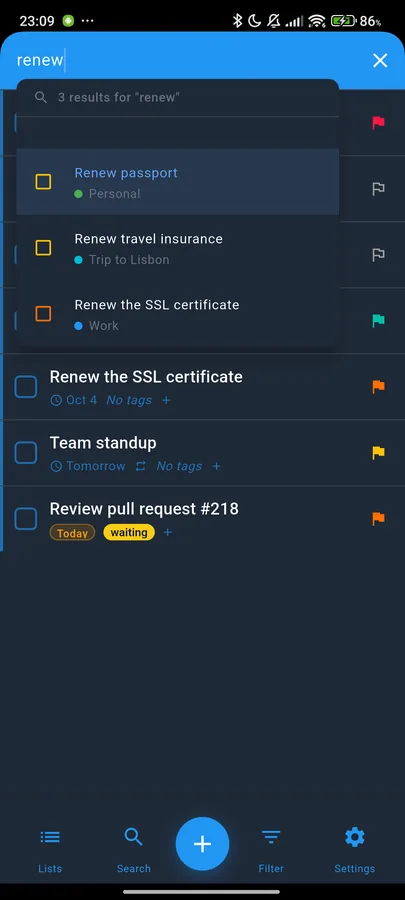
Find anything instantly with real-time search across all your items.

Custom Themes

Choose from Business or Neon themes with cyberpunk effects.

Data Security

Your data stays secure with local storage and encrypted sync.

Why We Built This

We were tired of productivity apps that treat your data as their inventory.

Every other todo app wanted the same thing: your account, your contacts, your behavior, your patience. They held your tasks hostage in someone else's cloud, behind someone else's terms of service, training someone else's models.

We wanted a different deal. Your data should live on your devices first. Sync should be a feature, not a requirement. Self-hosting should be a download, not a sales call. And the app should keep working when the internet doesn't — on a plane, in a basement, after a billing dispute, after the company shuts down.

OxiTick is what we built for ourselves. We share it so anyone who wants the same thing doesn't have to build it twice.

You own the data

Local SQLite on your devices. Exportable any time. No proprietary format, no lock-in.

You pick the sync

Your VPS, on-prem, or none at all. Same app, your choice of backend.

It works offline

A side effect of the data being yours: it is already on the device, so the network is optional and never required.
One thing OxiTick is NOT for: passwords

OxiTick is a to-do and notes manager — private, but not a vault. Never store passwords, recovery codes, or other secrets in any notes app, including this one. Password managers are specialized products with a different security model: encryption at rest, secret-specific access control, and protection against accidental exposure.

Our recommendation for a personal, private password manager without cloud sync: IntelliWallet

Privacy First

Privacy-first ethics in action. Your data belongs to YOU, not corporations or governments. Your data, your rules. Deploy anywhere - your own hosting, on-premises, or do not deploy anything at all and use the mobile offline version only. Read our Privacy Policy.

Zero Tracking

No analytics, no cookies, no behavioral tracking. Your digital footprint remains yours. We believe privacy is a fundamental right, not a premium feature.

No Google Analytics No Facebook Pixel No Third-party Scripts Local-only Storage Anonymous Usage

Full Deployment Freedom

Your choice, your infrastructure. Deploy on your hosting, run on-premises, or go mobile-only without any server at all.

Self-hosted Docker Your VPS/Cloud On-premises Deploy Mobile-only, no server No Vendor Lock-in

Local Data, By Design

Your tasks live in a database on your own device, which is what makes them private — and, as a consequence, what makes the app work on a plane, in a basement, or with the server switched off.

Local Data Storage No Internet Required Instant Performance Network Independence Always Available

Security

SSL/TLS encryption protects data in transit. Local storage uses your device's built-in security features. No weak points, no compromises.

SSL/TLS Transport Device-based Security Local Storage No Client-side Encryption Relies on Device Protection

Built for You

Different lives, same need: a productivity tool that doesn't sell you out.

The Busy Professional

Three projects, two clients, one phone running low on battery. OxiTick stays fast offline so you can capture a thought between meetings without waiting for the cloud to wake up.

The Privacy-Conscious

You actually read terms of service. You don't want your shopping list profiled. Run OxiTick mobile-only with no server at all, or self-host the sync on a VPS you control. We never see your tasks.

The Remote Worker

Hotel Wi-Fi, airport lounges, train tunnels. Your todos sync across phone, laptop, and desktop the moment you're back online — with conflict resolution that doesn't lose your edits.

The Developer

Docker compose, your VPS, your domain. Auto SSL, REST API, SQLite under the hood. No vendor SDK, no proprietary formats. Take your data and walk whenever you want.

See It In Action

Real workflows, real screens. Replace these placeholders with actual app shots when ready.

OxiTick on desktop / tablet
Built for the big screen too

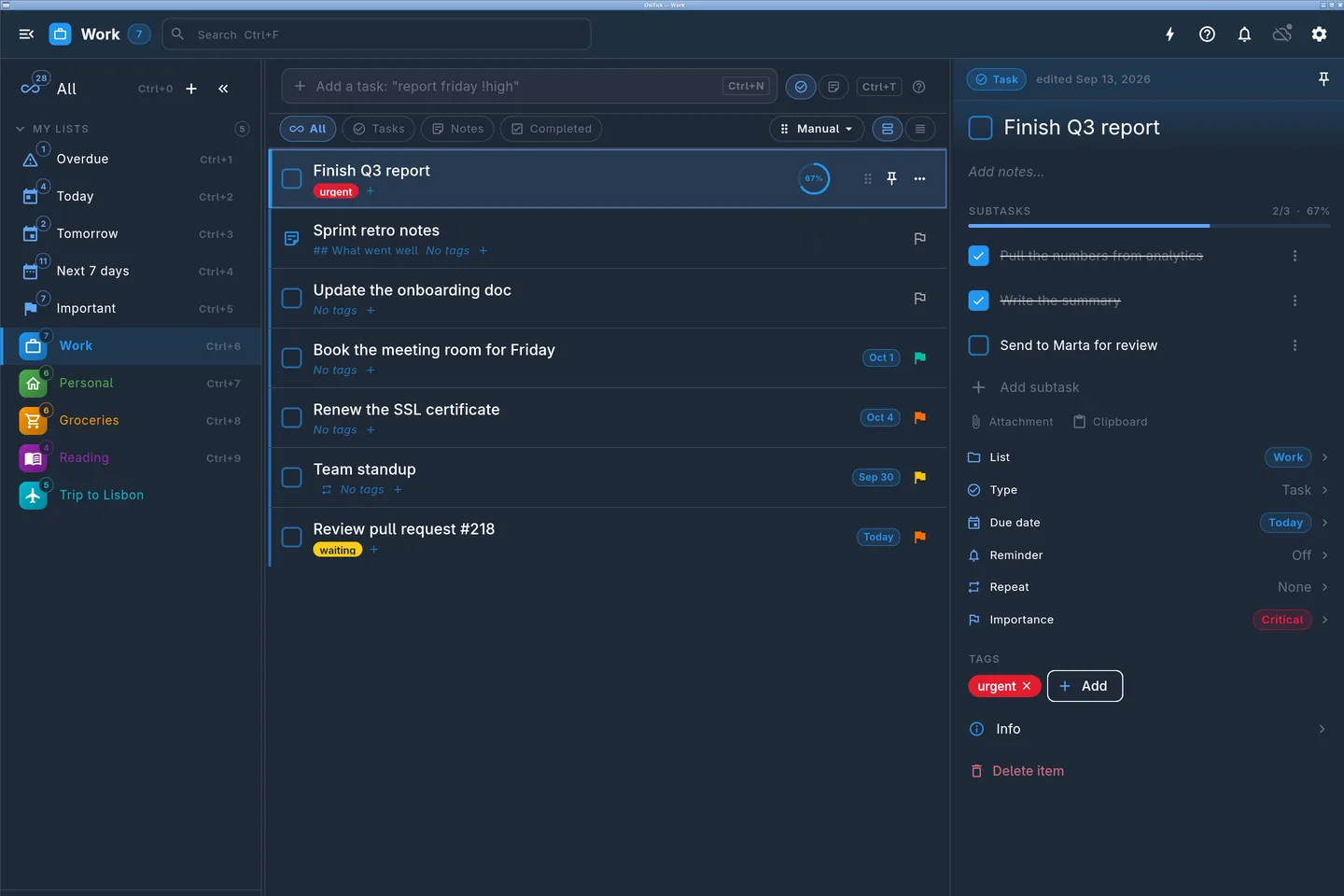
Same data, same local database, native Mac, Windows, Linux, web — and tablet landscape.

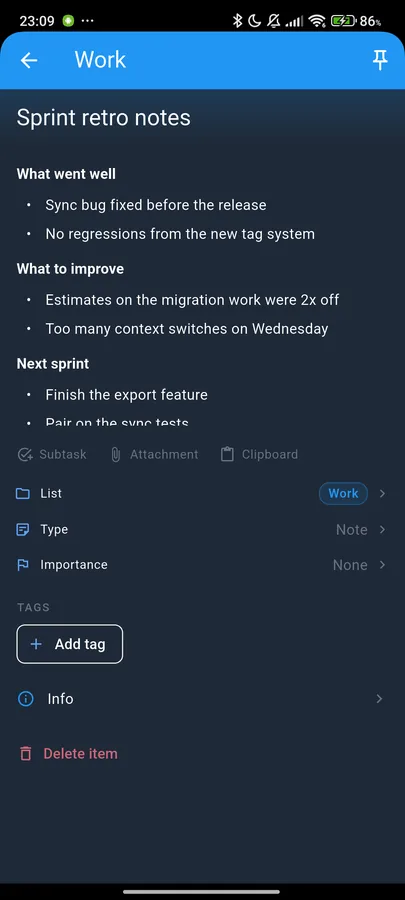
OxiTick mobile — list view
Plan your day

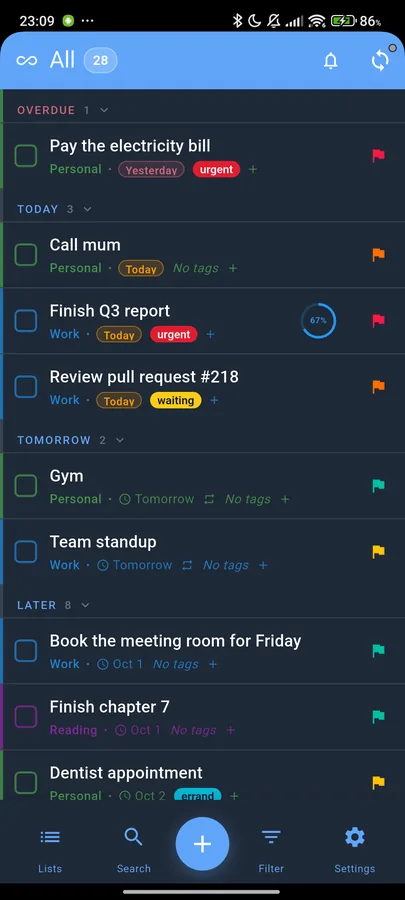
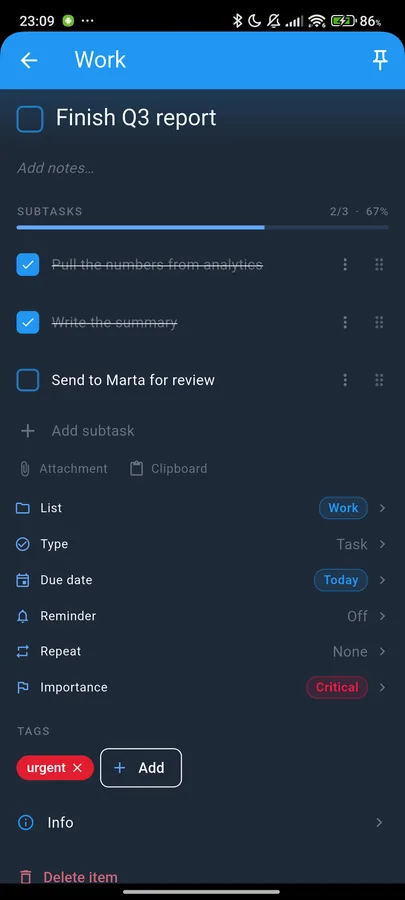
Lists, subtasks, priorities — stored locally on your device.

OxiTick mobile — sync
Sync your way

Phone, laptop, desktop — your data, on the backend you picked.

OxiTick mobile — privacy
Stay in control

Self-host in one container or run mobile-only with no server at all.

Choose Your Freedom

Four deployment options. Full control over your data and privacy choices.

Home Server

Private behind your own router

Families & home labs

  • Raspberry Pi ready (ARM64)
  • LAN or VPN access only
  • One Docker command
Get Docker Image

Your Cloud/VPS

Deploy on your hosting

Tech-savvy users

  • Docker deployment
  • Auto SSL/TLS
  • Scale as needed
Get Docker Image

Local Mobile Only

No server required

Privacy purists & simple usage

  • Single device usage
  • Zero setup
  • Maximum privacy
Download Mobile App

On-Premises

Complete air-gapped control

Organizations & privacy maximalists

  • Docker deployment
  • Self-hosted control
  • Maximum isolation & privacy
Get Docker Image

Server Quick Start

Self-host the sync server in one minute. One image, amd64 & arm64, Raspberry Pi ready. Zero configuration required.

hub.docker.com/r/oxisoft/oxitick
1 · Run it
docker run -d --name oxitick -p 15773:15773 -v ./data:/app/data oxisoft/oxitick:latest
2 · Environment variables (all optional)
recommended ADMIN_USERNAME / ADMIN_PASSWORD Create the admin account at first start (min 3 / 8 chars). Skips the interactive setup page.
optional JWT_SECRET Auth token signing secret. Auto-generated and stored in the data volume if not set — provide your own only to manage rotation yourself.
optional PORT HTTP port inside the container (default 15773)
optional JWT_EXPIRY / REFRESH_TOKEN_EXPIRY Token lifetimes (defaults 24h / 720h)
3 · Or start with docker compose
services:
  oxitick:
    image: oxisoft/oxitick:latest
    ports:
      - "15773:15773"
    volumes:
      - ./data:/app/data
    environment:
      - ADMIN_USERNAME=admin
      - ADMIN_PASSWORD=change-me-min-8-chars
    restart: unless-stopped
4 · Data in a fixed host directory

Prefer your data at a known path on the host — easy to find, easy to back up? Bind-mount an absolute directory. The server runs as UID 1000, so grant it write access first.

services:
  oxitick:
    image: oxisoft/oxitick:latest
    ports:
      - "15773:15773"
    volumes:
      - /srv/oxitick/data:/app/data
    environment:
      - ADMIN_USERNAME=admin
      - ADMIN_PASSWORD=change-me-min-8-chars
    restart: unless-stopped
sudo mkdir -p /srv/oxitick/data
sudo chown -R 1000:1000 /srv/oxitick/data

Then open http://your-host:15773/admin, create user accounts, and point the app at your server under Settings → Sync Settings. Keep the /app/data mount — it holds your entire state (database, uploads, auth secret); running without it means losing everything when the container is recreated.

Works With Your AI Assistant

OxiTick speaks MCP. Point Claude, Gemini or any other assistant at your own server with a token you create in the app and revoke in one tap, and ask it what is due today.

The Model Context Protocol is how assistants talk to tools. Our server runs on your own machine over stdio and connects to the OxiTick server you already run, so your token never leaves your computer and nothing new is exposed to the internet.

1 · Create a token

In the app: Settings → Accounts → your account → App tokens → New token. Choose what it may do — read, read and write, or also delete — enter your account password, and copy it. It is shown once, and you can revoke it at any time.

2 · Connect your assistant

One command finds the clients you have installed, checks the token actually works before writing anything, and asks permission before touching each config file.

uvx oxitick-mcp setup

Prefer to do it yourself? Add --print and it writes nothing, just tells you exactly what to put where.

Tested clients
Claude Desktop Claude Code Gemini CLI Antigravity Cursor, VS Code, Windsurf, Zed

Anything that speaks MCP over stdio works. ChatGPT does not: its connectors accept only remote servers reachable over HTTPS, which would mean putting your token on an internet-facing endpoint. We would rather not recommend that.

What it can do
  • Read your lists, search your tasks, and summarise the agenda
  • Add a task, edit one, tick one off
  • Add and complete subtasks
  • Delete a task, if the token you made allows it
What it deliberately cannot do
  • Create, rename, archive or delete a list. No tool, and no endpoint behind one.
  • Delete more than one thing per call, at any size.
  • Change things "matching a filter". Every write names explicit ids.
  • Complete more than 25 tasks at once.
  • Touch shared lists, attachments, your password, your 2FA or your devices.
The limits live in the server

Every restriction above is enforced by the OxiTick server, not by the client. They hold whether an assistant goes through MCP or straight at the API. And any list you would rather an assistant never saw can be switched off for them: open the list and turn on "Hide from apps and AI assistants". It then answers "not found" everywhere and appears in no search, while staying completely available on your own devices.

Every Platform You Use

True cross-platform consistency. Same features, same experience, everywhere.

iOS & macOS

Native iOS app and macOS desktop application with system integration.

Android

Optimized for Android with native performance.

Windows

Full-featured Windows desktop application with native performance.

Linux

Native Linux support for all major distributions.

Simple Pricing

Start free and upgrade when you need more. No hidden fees, no surprises.

Free

$0 /forever

For getting started — the whole app on one device, no account, no strings.

  • Up to 3 todo lists
  • Single device sync
  • All themes & styling
  • Complete functionality
  • Sharing & collaboration
  • Nested subtasks
Get Started

Lifetime

$199 once
one payment · yours forever

For digital sovereigns — one payment, zero dependence on future pricing, platforms, or anyone's goodwill.

  • Everything in Premium
  • No subscription, ever
  • All future updates included
Get Started

Ready to Get Started?

Download OxiTick and choose your setup: deploy on your hosting, run on-premises, or just use the mobile version without any server at all - local only. Full freedom is yours.

Free to start • Self-hosted or offline-only • Your choice, your freedom • Available on all platforms

Coming Soon

We're in active development phase.
Get notified when we launch!

Your email stays private. No spam, ever.